
Your Shopify store passes its speed test. Lighthouse is green and the homepage loads fast. And yet clicking from a product to a collection, then on to the next product, still feels sluggish. That lag between clicks is the part shoppers actually feel, and it is almost never what a PageSpeed score measures.
This is perceived navigation speed: the half-second of nothing after a tap before the next page appears. On mobile, where most Shopify traffic lives, that gap is usually 300 milliseconds to a full second. Multiply it across a browsing session and it becomes the difference between a shopper who keeps going and one who quietly gives up.
The thing your PageSpeed score does not tell you
A Lighthouse or PageSpeed Insights score grades how fast a single page loads in isolation. It says almost nothing about what happens when a shopper moves between pages, which is most of a shopping session. A store can score well and still feel slow to browse, because every click starts a fresh round trip: request, server, render, repeat.
Shoppers do not experience your store one page at a time. They experience the transitions. Slow transitions read as “this store is slow,” regardless of what any tool reports.
Why slow navigation quietly costs sales
The relationship between delay and drop-off is consistent. As page load moves from one to three seconds, bounce rate climbs by roughly a third; push it toward five seconds and it can nearly double. Every extra second measurably pulls conversion rate down, and the effect is largest on mobile, which is 70 to 80 percent of Shopify traffic and already converts at roughly half the rate of desktop.
None of that shows up as an error. There is no broken page and no alert. Shoppers just leave a little earlier than they would have, and you never see the sale that did not happen.
How page prefetching makes navigation feel instant
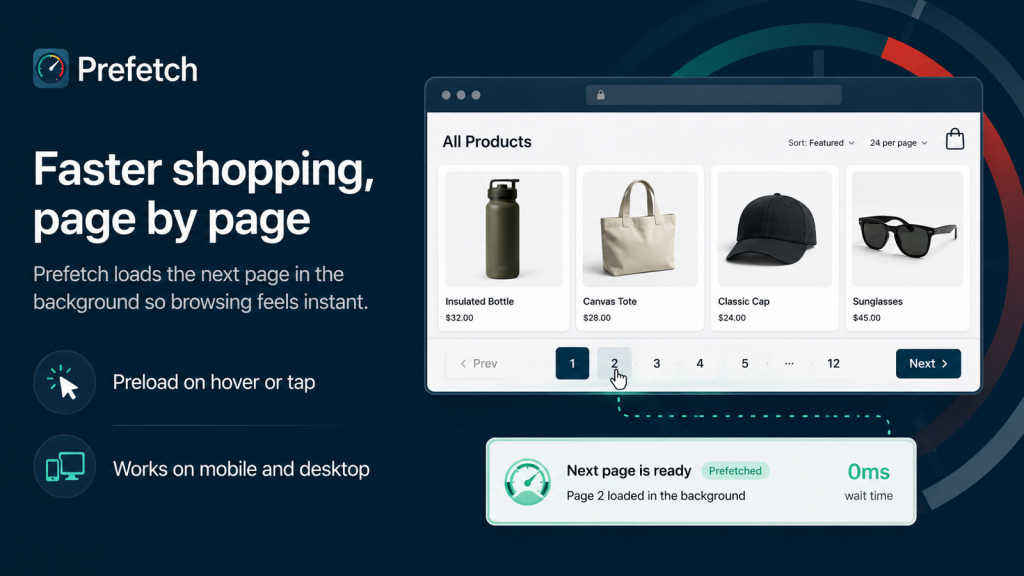
Prefetching flips the order of operations. Instead of waiting for a click to start loading the next page, the browser quietly loads it the moment a shopper signals intent: hovering a product on desktop, or the instant a finger touches a link on mobile. By the time the click registers, the next page is already there. The transition feels instant because the work happened during the few hundred milliseconds the shopper was spending anyway.
This is the same principle behind the well-known instant.page technique and the browser’s own resource hints. The mechanics are proven. The hard part on Shopify is doing it reliably across your theme, your collections, your menus, and every future theme update, all without writing and maintaining the code yourself.
DIY theme code vs. a managed app
You can add resource hints to a Shopify theme by hand. It works, narrowly, and it breaks easily. The honest tradeoff:
| Manual theme code | Prefetch app | |
|---|---|---|
| Setup | Edit theme files, add hint logic | Toggle a theme app embed, no code |
| Coverage | Only links you hard-code | Products, collections, menu links automatically |
| Theme updates | Redo it after each update | Survives theme changes |
| Visibility | None, so you are guessing | Speed scan plus analytics on real impact |
| Risk | One bad snippet slows everything | Sandboxed and reversible |
For a developer maintaining a single store, hand-rolled hints can be fine. For a merchant who just wants browsing to feel fast and stay that way, a managed solution removes both the maintenance and the guesswork.
What Prefetch does
Prefetch is a Shopify app that adds smart page preloading to your storefront with no code. You enable it as a theme app embed, and it begins preloading the next likely page (product, collection, or menu destination) as soon as a shopper shows intent. Navigation that used to have a visible pause starts feeling immediate.
It also includes a Core Web Vitals speed scan so you can see where your storefront actually stands, storefront error monitoring, and analytics that show the impact over time. A free plan covers up to 1,000 pageviews a month with 7-day analytics, so you can prove it on your own traffic before paying anything. Starter ($9.90/mo) removes the pageview cap and unlocks all prefetch modes with 30-day analytics; Growth ($19.90/mo) adds 90-day analytics and multi-store support. The full breakdown is on the Prefetch app page.
How this connects to Core Web Vitals and SEO
Core Web Vitals do not directly score the hover-to-load trick, but they reward the same outcome: responsive, low-latency interaction. INP (Interaction to Next Paint, the metric for responsiveness) and a fast-feeling store move together. Stores that consistently hit the Core Web Vitals thresholds tend to see lower bounce and stronger organic visibility, so making navigation feel instant is both a conversion play and an SEO one. It is rare to get both from a single no-code change.
Is it right for your store?
Prefetching helps most when shoppers browse a lot of pages: deep catalogs, collection-heavy stores, content and blog traffic, and mobile-first audiences. It improves the part of speed shoppers feel, the transitions, and it complements rather than replaces the usual work of compressing images and trimming theme bloat. If your store is a single landing page, you will not notice it. If shoppers routinely click through five, ten, or twenty pages, they will.
It pairs naturally with anything that increases pages per session, such as surfacing related posts at the end of your blog articles. More clicks only help if those clicks feel instant.
If your store feels slow to browse even though the numbers look fine, that gap is costing you quietly. Test it on your own traffic with the free plan: Prefetch on the Shopify App Store.
Prefetch
Preloads the next page on hover and tap intent so storefront navigation feels instant. Free plan.
Install Prefetch on Shopify →See full app details