
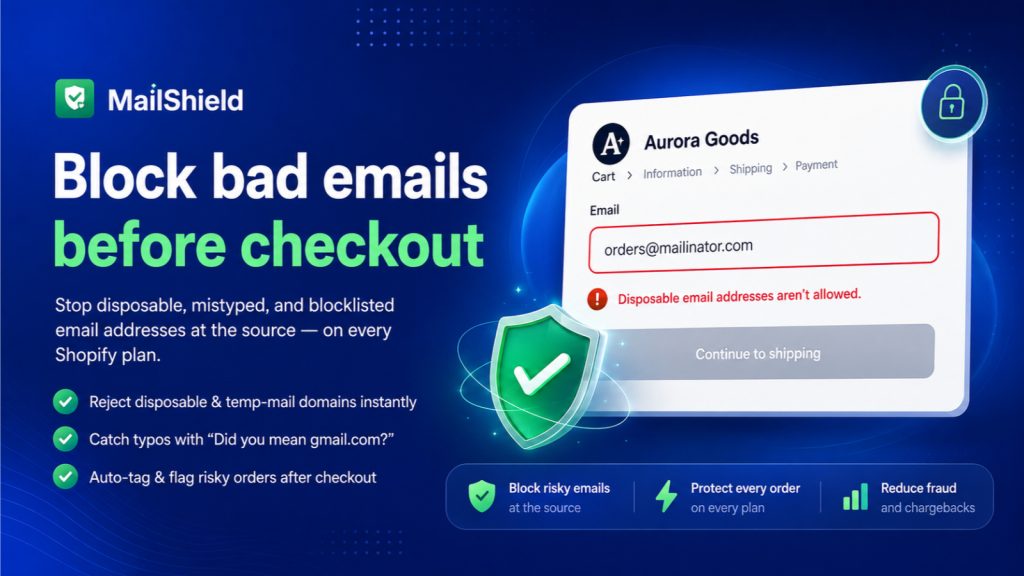
Most Shopify fraud and delivery problems start with something tiny: a wrong email address. A shopper fat-fingers their address at checkout, drops in a throwaway inbox to dodge marketing, or a bot fills the field with something fake. The order still goes through. The problem only shows up later, when the confirmation bounces, the package can’t be tracked, or the chargeback lands.
It is one of the quietest leaks in an online store, because nothing visibly breaks at the moment of purchase. This guide breaks down what bad email addresses actually cost a Shopify store, why the default checkout lets them through, and how to validate emails at checkout without touching code.
The real cost of a bad email address
A single mistyped or fake email rarely feels like a big deal. Across hundreds of orders, the cost compounds in four ways:
- Failed deliveries and lost confirmations. Order updates, shipping notifications, and receipts bounce. The customer assumes the order failed, and you get a “where is my order” ticket instead of a sale they feel good about.
- Support load. Every undeliverable confirmation turns into a manual lookup, a re-send, and sometimes a refund request that never needed to happen.
- Chargebacks and fraud. Disposable and throwaway email domains are a well-known fraud signal. Orders placed with them are far more likely to end in a chargeback than orders from real, reachable inboxes.
- List rot. Fake and mistyped addresses pile up in your email marketing lists. High bounce rates drag down your sender reputation, so even your good emails start landing in spam.
Where bad emails come from
Not every bad address is malicious. They fall into three groups, and each needs a slightly different fix.
- Honest typos. “gmial.com”, “hotmial.com”, “yaho.com”. The shopper wants their confirmation, they just slipped on the keyboard. These customers are real and worth saving.
- Disposable inboxes. Temporary, self-destructing email services people use to grab a discount code without joining a list. The order may be genuine, but you will never reach that inbox again.
- Bots and fraud. Automated checkouts and fraudulent orders that drop in plausible-looking but fake addresses. These are the ones most likely to cost you a chargeback.
Why Shopify checkout doesn’t catch them
Shopify’s checkout validates the format of an email, not its quality. As long as the text is shaped like an address, with something before an @ and a domain after it, it passes. “asdf@gmial.com” and “test@mailinator.com” are both perfectly valid formats, so both sail through.
Format validation cannot tell you whether the domain accepts mail, whether it is a known disposable provider, or whether the address looks like a typo of a real one. That gap is exactly where the costs above creep in.
What email validation at checkout actually does
A proper email validation layer sits at checkout and checks each address against real risk signals before the order is placed. The useful pieces are:
- Disposable domain blocking. Reject known temporary and throwaway email providers outright, so fake-inbox orders never get placed.
- Typo detection with a suggested fix. When someone types “gmial.com”, show a gentle “did you mean gmail.com?” prompt. This is the part that saves real customers and their confirmations.
- A custom blocklist. Add the specific domains that have caused you trouble, on top of the built-in disposable list.
- Post-checkout risk scoring. Score and tag orders after they come through, so anything suspicious is flagged for review before you ship and pay to fulfil it.
The goal is not to add friction for real shoppers. It is to quietly stop the addresses that were never going to work, while nudging the honest typos back on track.
How to add email validation without code
You do not need a developer or a checkout rebuild to do this. MailShield, our email validation app for Shopify, installs as a checkout extension and starts validating emails immediately. It blocks disposable domains, catches typos and suggests the correct domain, enforces your own blocklist, and tags risky orders after checkout so your team can review them before shipping.
It works on every Shopify plan, requires no theme code, and has a free plan so you can see how many bad addresses your store is actually catching before paying anything. You can install MailShield from the Shopify App Store and have it live in a few minutes.
Which stores benefit most
Email validation helps almost any store, but the payback is largest for:
- High-volume stores, where even a small percentage of bad emails adds up to real support and fulfilment cost.
- Stores that run discounts and giveaways, which attract throwaway inboxes hunting for codes.
- Fraud-prone categories like electronics, apparel resale, and high-ticket items, where chargebacks hurt the most.
- Stores that lean on email marketing, where list quality directly affects revenue.
If your store sells a single item to a known audience and never emails customers, you will barely notice it. If shoppers check out daily and you rely on email to reach them, blocking bad addresses at the door is one of the cheapest protections you can add.
The takeaway
Bad email addresses do not announce themselves. They show up as bounced confirmations, support tickets, chargebacks, and a slowly rotting marketing list. Validating emails at checkout closes the gap that Shopify’s format check leaves open, and it does it in the background without slowing real shoppers down. If your store feels the cost of orders you cannot reach, MailShield is built to stop it at the source.
MailShield
Block fake, disposable and mistyped emails at checkout. Cut chargebacks and failed deliveries. Free plan.
Install MailShield on Shopify →See full app details