
You sell on Shopify. Your blog runs on WordPress. Now you need to connect them, and the internet gives you two contradictory answers.
Camp one says migrate everything into Shopify. Camp two says keep WordPress and embed it. Both camps are right, for different stores. The wrong choice costs you either months of migration work you didn’t need, or a duct-taped setup that falls apart when you actually need your blog to perform.
Here’s how to figure out which approach fits your store.
The core question: are you done with WordPress?
If your answer is “yes, I want one platform for everything,” you need a migration tool. If it’s “no, WordPress is where I write and I’m not giving that up,” you need a feed integration.
That’s genuinely it. Everything else (SEO concerns, cost, time) follows from that one decision.
Option 1: Migrate your WordPress blog into Shopify
Migration means exporting every post, category, tag, and (if you’re lucky) comment from WordPress into Shopify’s blogging system. Once it’s done, WordPress is out of the picture entirely.
When this makes sense:
You’ve already decided to consolidate. Maybe you’re tired of maintaining two platforms. Maybe your WordPress hosting bill feels pointless when Shopify already handles your domain. Or maybe your blog is small enough, under 50 posts, that moving it isn’t a multi-week project.
The tricky part: Shopify’s native blog importer is limited. It handles basic posts but chokes on categories, tags, and comments. You end up manually reformatting things, losing metadata, and wondering why you started.
Blog App for Shopify built a WordPress export plugin specifically for this. You install their WordPress plugin, connect it to their Shopify Blog app, and it pulls posts, categories, tags, and comments in one pass. No CSV wrangling, no copy-pasting post by post.
The catch: Blog App for Shopify replaces Shopify’s default blog engine. Your posts live inside their app, not in Shopify’s native blog section. For most merchants that’s fine: Magefan’s blog actually has better SEO controls than Shopify’s built-in option (custom URLs, proper meta robots, breadcrumbs). But it’s worth knowing before you start.
After migration, don’t forget redirects. Every old WordPress URL needs a 301 redirect pointing to its new Shopify equivalent. Skip this and you lose whatever search traffic those posts were generating. Magefan handles some of this automatically, but check every URL manually if your blog has more than a handful of pages ranking in Google.
Option 2: Keep WordPress and display a live feed on Shopify
Some merchants don’t want to migrate. They’ve got 500 posts, a team that knows the WordPress editor, plugins they rely on, and no desire to rebuild all of that inside Shopify’s more limited blogging system.
For those stores, the answer is a live feed: your Shopify storefront pulls in WordPress posts and displays them as if they’re part of your store, but the content still lives in WordPress. You write in WordPress, publish, and it shows up on Shopify automatically.
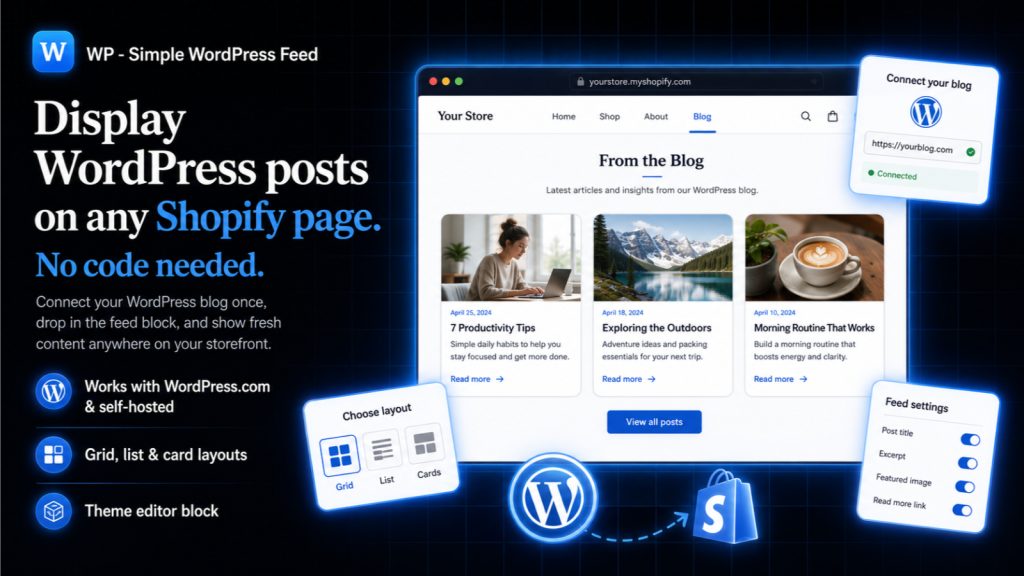
WP Simple WordPress Post Feed does exactly this. It’s a theme block: you drag it onto any page in your Shopify theme editor. It connects to your WordPress site’s RSS or REST API, pulls your latest posts, and renders them with your store’s styling. No subdomain, no iframe, no visible seam between store and blog.
When this makes sense:
Your WordPress blog is active and large. You’ve got a content team that publishes weekly. You use WordPress plugins (Yoast, custom fields, ACF, Elementor) that have no Shopify equivalent. Or you simply prefer WordPress as a writing tool, and why wouldn’t you? It’s been the best content editor on the web for twenty years.
What you keep: Full WordPress functionality. All your plugins, your editor workflow, your existing SEO setup. Posts continue to live at their original WordPress URLs, so there’s zero redirect risk.
What you trade: Your blog technically exists in two places. Visitors see it on Shopify, but the canonical content lives on WordPress. This is fine for engagement and brand consistency, but your SEO equity stays on the WordPress domain. If organic search traffic to blog posts is a major revenue driver, you’ll want those posts indexed on your Shopify domain instead, and that points back toward migration.
Quick comparison
| Migrate (Blog App for Shopify) | Live feed (WP Simple) | |
|---|---|---|
| Blog posts live in | Shopify (via Magefan app) | WordPress (displayed on Shopify) |
| WordPress needed after setup? | No | Yes, ongoing |
| SEO equity | Moves to Shopify domain | Stays on WordPress domain |
| Setup time (50 posts) | 1-2 hours | Under 10 minutes |
| Setup time (500+ posts) | Half a day + redirect audit | Under 10 minutes |
| Best for | Stores consolidating onto one platform | Stores keeping WordPress long-term |
| Monthly cost | Blog App for Shopify plan ($9.90+/mo) | WP Simple free plan (3 posts) or Pro ($4.90/mo) |
What about Shopify’s built-in blog?
It works. For a store that publishes one post a month and doesn’t care about categories, related posts, or advanced SEO controls, the native Shopify blog is fine.
But if you’re reading an article about connecting WordPress to Shopify, you’ve probably already hit its limits. No proper category pages, no tag filtering, no custom URL structures, limited post scheduling. Shopify built a store platform, not a publishing platform. The blog feature exists because merchants asked for it, not because Shopify set out to compete with WordPress on content.
That’s why both options above involve third-party apps. The Shopify blog is a starting point, not a destination for anyone serious about content marketing.
The hybrid approach nobody talks about
Some stores do both. They migrate their archive (old posts that aren’t being updated) into Shopify via Magefan, then use WP Simple to display fresh WordPress content on specific pages like a homepage “latest from the blog” section.
This is overkill for most stores. But if you’ve got a large archive of evergreen posts that should live on your Shopify domain for SEO, plus an active WordPress editorial operation you don’t want to disrupt, it’s a legitimate setup.
Making the decision
Three questions:
Are you still actively publishing on WordPress? If you haven’t posted in six months, migrate. Dead WordPress installs are security liabilities and hosting bills for nothing.
Does your blog drive organic search traffic? Check Google Search Console. If WordPress posts bring in meaningful traffic, consider whether you want that traffic landing on your Shopify domain (migrate) or your WordPress domain (keep the feed).
How many posts are you moving? Under 100 posts, migration is a morning project. Over 500, it’s a commitment. A live feed works the same regardless of volume.
There’s no universally correct answer. There’s only the one that matches how your team actually works and where you want your content to live long-term.
Once your blog is running on Shopify, don’t let readers hit a dead end at the bottom of each article. Here’s how to add related blog posts in Shopify so they keep reading instead of leaving.
Weighing the move itself? Our guide on migrating from WordPress to Shopify covers what actually transfers, why the blog is the hardest part, and how to keep your rankings with 301 redirects.
How to connect a WordPress blog to Shopify
If you have landed here wanting the practical steps rather than the decision, connecting the two is the short version of option two above. You keep publishing in WordPress, and the posts appear on your Shopify storefront:
- Leave your WordPress site exactly as it is. Nothing is exported and nothing is rewritten.
- Install Simple WordPress Blog Feed on your Shopify store.
- Point it at your WordPress site address. It reads the posts from there.
- Place the feed on whichever Shopify page you want the blog to live on.
The result is that you use WordPress with Shopify rather than choosing between them: WordPress stays the writing tool, Shopify stays the store, and the content renders on your store’s own domain as indexable content rather than inside an iframe or on a separate blog subdomain.
Simple WordPress Blog Feed
Embed your WordPress blog on any Shopify page. No subdomain, no iframe, no SEO splits. Free trial.
Install Simple WordPress Blog Feed on Shopify →See full app details