
A shopper reads your blog post to the end. Good. Now what?
On a default Shopify blog, the answer is nothing. No “read next,” no related articles, no thread to pull on. The reader came for one thing, got it, and left. That last part is the expensive part — it tells Google the visit ended here, and it hands you zero second page views.
Shopify’s blog ships without a related-posts feature. If you want readers moving from one article into the next (and you do, for engagement and for SEO), you add it yourself. There are two ways to do that, and I’ll walk through both — including the actual Liquid code, which most guides on this topic quietly skip.
Quick honesty note: we build one of the apps in this space, Better Related Blog Posts. So I’ll tell you exactly when the free code is enough and when an app starts paying for itself.
How to add related blog posts in Shopify
Here’s the short version before the detail:
- Open your article template: Online Store → Themes → Edit code →
sections/main-article.liquid. - Paste a Liquid loop that pulls posts sharing the current article’s tags.
- Prefer no code? Install a related-posts app that matches articles automatically and keeps working after theme updates.
- Either way, tag your posts consistently — the matching has nothing to work with otherwise.
Does Shopify have a built-in related posts feature?
No. Shopify’s online store blog gives you articles, tags, comments, and an RSS feed. It does not give you a related-posts block, an automatic “you might also like” section, or any setting to turn one on. You can search the theme editor all afternoon; it isn’t there.
This trips people up because WordPress has had related-posts plugins by the dozen for over a decade, so merchants assume Shopify must too. It doesn’t. The platform leans toward selling products, and the blog has always been the quieter cousin. Which means the job falls to you: edit the theme, or reach for the App Store.
Why related blog posts are worth the effort
Picture the alternative for a second. Someone lands on your “how to season a cast iron pan” post from Google, reads it, nods, and closes the tab. From Google’s side, that’s a session that started and stopped on one page. Do that across a few hundred posts and you’ve taught the search engine that your blog is a series of dead ends.
Related posts change the shape of that visit. They give the reader an obvious next click, which lifts the things Google actually watches:
- Dwell time and pages per session. One more click is one more page and another minute or two on your store. Shopify’s own data pegs stores with active blogs at roughly 55% more organic traffic, and a lot of that compounding comes from readers going deeper instead of leaving.
- Internal linking that builds topic clusters. When your pan-seasoning post links to your “best oils for high-heat cooking” post, and that one links back, Google reads them as a connected cluster on one subject. Clusters rank better than orphan pages because the internal links pass authority between them and signal expertise on the whole topic.
- Crawl depth. Googlebot follows links. A post with three related links is three new doors into the rest of your blog, so newer articles get discovered and indexed faster.
None of this is theoretical. The first thing we noticed when merchants installed related posts on busy blogs was the bounce rate on article pages dropping within a couple of weeks — not because the content changed, but because readers finally had somewhere to go.
Method 1: Add related posts with Liquid code (free)
If you’re comfortable editing theme files, you can build a basic related-posts section in about ten minutes. It matches posts by shared tag. Back up your theme first (Themes → … → Duplicate), then open sections/main-article.liquid (older themes call it article-template.liquid) and paste this where you want the block to appear, usually right after the article body:
{% comment %} Related posts by shared tag — show up to 3 {% endcomment %}
{% assign max_related = 3 %}
{% assign found = 0 %}

{% if article.tags.size > 0 %}
  <div class="related-posts">
    <h3>Related posts</h3>
    <ul>
      {% for post in blog.articles %}
        {% if post.id != article.id and found < max_related %}
          {% assign shares_tag = false %}
          {% for tag in article.tags %}
            {% if post.tags contains tag %}
              {% assign shares_tag = true %}
            {% endif %}
          {% endfor %}
          {% if shares_tag %}
            <li><a href="{{ post.url }}">{{ post.title }}</a></li>
            {% assign found = found | plus: 1 %}
          {% endif %}
        {% endif %}
      {% endfor %}
    </ul>
  </div>
{% endif %}
Save, open any tagged article on your live store, and you should see up to three links to other posts wearing the same tag. Style the .related-posts class in your theme CSS to taste.
That's the part other tutorials hand-wave. Here's the part they leave out entirely — what goes wrong:
- It breaks when you change themes. Theme edits live inside that specific theme. Switch themes, or accept a theme update that overwrites the file, and your related posts vanish without warning. I've watched a merchant lose a whole blog's worth of internal links this way and not notice for a month.
- "Shares a tag" isn't the same as "relevant." The loop grabs the first three posts that match any tag, in whatever order Shopify returns them. No weighting toward the closest match, no fallback when nothing shares a tag, no control over which three win.
- It scales badly.
blog.articleswalks your whole blog on every page load. On a blog with a few dozen posts that's fine. On a few hundred, you're asking the theme to do real work every time someone opens an article.
For a small blog you tend yourself, the snippet is genuinely good enough. Use it. Come back to the next section when the maintenance starts to bite.
Method 2: Add related posts with an app (recommended for most stores)
An app does the same job without the theme-file fragility. You install it, it injects the related-posts section through Shopify's theme app extensions (so theme updates don't touch it), and it matches articles for you. Most also let you choose how matching works, how many posts show, and how the block looks — from the app settings, not from code.
When you're comparing options, the things that actually matter:
- Match quality. Can it rank by shared tags, and ideally fall back to recent or same-collection posts when tags run thin, so the block is never empty?
- Theme-update safety. Does it use a theme app extension (survives updates) rather than editing your
.liquiddirectly? - Weight. Does it add a render-blocking script, or load lean? (More on speed below.)
- Design control. Cards with thumbnails versus a plain list — and does it inherit your fonts and colors?
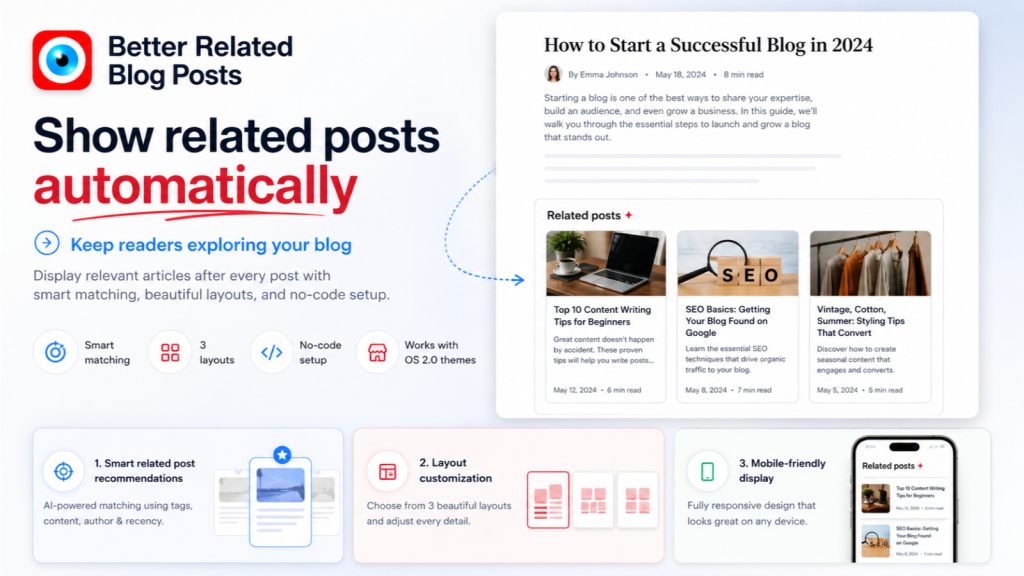
This is the gap we built Better Related Blog Posts to fill: tag-based matching with a sensible fallback so the section never shows up empty, a layout that picks up your theme styles, and an install that doesn't leave code stranded in a theme you'll eventually replace. If you'd rather spend ten minutes once and never think about it again, that's the trade you're making versus the snippet.
How to choose which related posts to show
However you add them, a few habits make the difference between a section people click and one they ignore:
- Show three or four, not ten. A short, confident set reads as a recommendation. A long list reads as a sitemap, and people skim past it.
- Match on tags, and tag with intent. Relevance is only as good as your tags. Decide on a small tag vocabulary — topic tags like
cast-ironorgift-guide— and apply it consistently. Tags you invent once and never reuse can't connect anything. - Put the block right after the article, before comments. That's the moment the reader has finished and is deciding whether to stay. Below the fold of a footer is too late.
- Check it on a phone. Most blog reading is mobile. Make sure the cards stack cleanly and the tap targets aren't cramped.
Will a related posts app slow down my Shopify store?
It can, if it's built carelessly — any app that loads a heavy script on every article will cost you milliseconds, and Google counts those. But a related-posts section is lightweight by nature: it's a handful of links and maybe some thumbnails. A well-built app renders that server-side or with a small async script and the impact on your speed score is negligible.
The thing to avoid is an app that pulls in a large front-end framework to display four links. Check the app's reviews for speed complaints, and run your article template through Shopify's built-in store speed report before and after. If the number barely moves, you're fine.
Frequently asked questions
Does Shopify have related posts built in?
No. The Shopify blog has no native related-posts feature. You add one either by editing your article template with Liquid or by installing a related-posts app from the Shopify App Store.
How do I show related blog posts in Shopify without an app?
Edit sections/main-article.liquid in your theme and add a Liquid loop that pulls posts sharing the current article's tags (see the code above). It's free and works, but it lives inside your theme, so a theme change or update can remove it.
Do related blog posts help SEO?
Yes, indirectly but reliably. They add internal links that build topic clusters and pass authority between your articles, they help Google crawl deeper into your blog, and they keep readers on your store longer — all signals that support rankings.
How many related posts should I show?
Three or four. Enough to give a real choice, few enough that each one looks like a deliberate recommendation rather than a list to scroll past.
Will related posts slow down my store?
A lightweight related-posts section won't move your speed score in any meaningful way. Only poorly built apps that load heavy scripts cause trouble — check reviews and test your speed before and after installing.
Where to start
If you run a small blog and like editing code, paste the Liquid snippet today and you'll have related posts before lunch. If you'd rather it match well, look right, and keep working the next time you change themes, that's what an app is for. Better Related Blog Posts installs in a couple of clicks and handles the matching for you — and either way, the win is the same: readers who finish one post and start another instead of leaving.
Better Related Blog Posts
Content-aware related posts that keep readers reading. Drops into any blog template. Free trial.
Install Better Related Blog Posts on Shopify →See full app details