
Demo
Figma Automations for monday.com
A single unedited round trip: a comment typed in Figma, arriving on a monday.com board as an item. No editing between the two, and nothing staged.
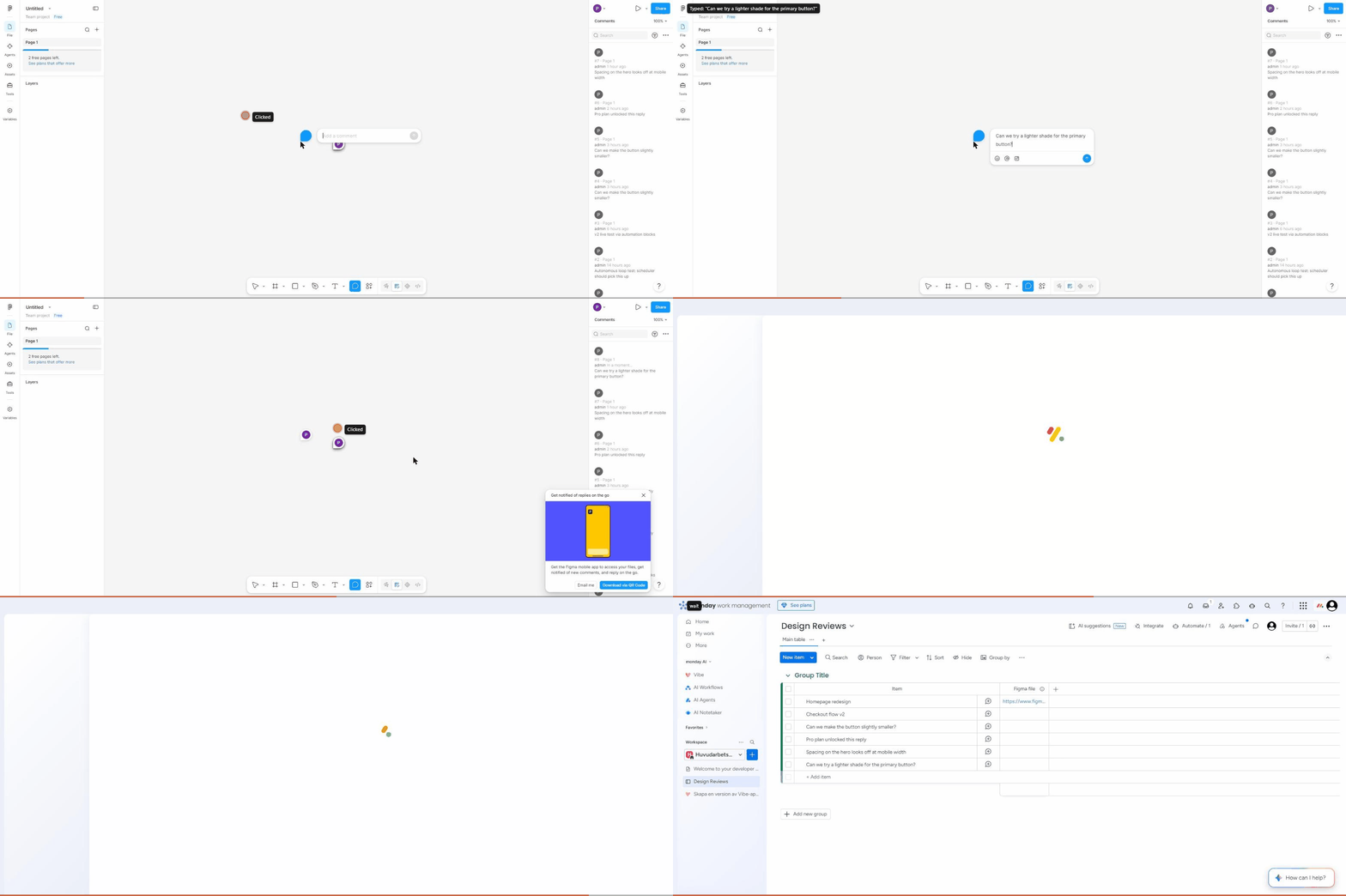
Recorded end to end. The board reload near the end is roughly three minutes after the comment was posted.
What happens in the recording
- A Figma file with its Comments panel open, showing prior comments up to #7.
- The comment composer opened on the canvas.
- “Can we try a lighter shade for the primary button?” typed.
- Posted. It appears as comment #8.
- The monday.com board, still showing five items. Nothing yet.
- Reloaded about three minutes later. The comment is now item six on the board.
What is not dressed up
The Figma canvas in the recording is empty, so the comment sits on blank space. That is genuinely how the test file is. Adding a mock design would have made a prettier recording without demonstrating anything more: what is being shown is the bridge between the two tools, and the bridge is what works.
Setting it up yourself
Roughly two minutes, and the steps are on the documentation page. Add the trigger to a board, connect any Figma account including a free one, paste the link to a Figma file, and pair it with whichever monday.com action you want.
Figma Automations for monday.com is built by Stackedboost. Not affiliated with, endorsed by, or sponsored by Figma, Inc. or monday.com Ltd. Figma and monday.com are trademarks of their respective owners. See also the documentation, privacy policy and terms of service.